
FIRE planning6 modestimeline
Key point 1
Know Your FIRE Date
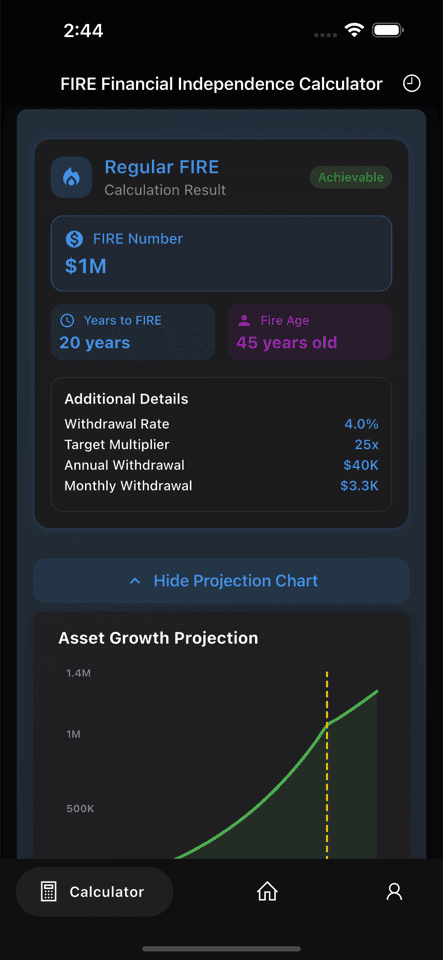
Calculate your FIRE target, years to FI, and FIRE age with six planning modes instead of relying on a single rough estimate.
Turn retirement ideas into a clear planning target.

Core product page
This page is not just a calculator reference. It explains how Fire Path turns calculation, comparison, asset tracking, and long-term planning into one connected product.
If you arrived here from search, articles, or backlinks, the goal is to help you understand why Fire Path is worth downloading, not to keep you in abstract reading mode.
This is the most important product landing page on the site. It should convert high-intent search, article, homepage, and backlink traffic into a clear product understanding and then into app downloads.
Full Product Walkthrough
These sections mirror the App Store storyline, but expand each screenshot into a clearer product explanation for search, AI summaries, and conversion.
Key point 1
Calculate your FIRE target, years to FI, and FIRE age with six planning modes instead of relying on a single rough estimate.
Turn retirement ideas into a clear planning target.
Key point 2
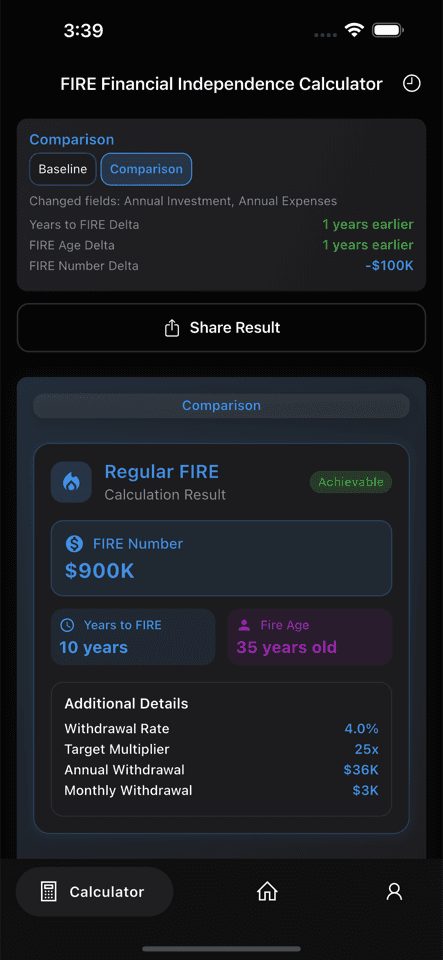
See how different assumptions, contribution levels, and FIRE modes change the timeline before you commit to one strategy.
Make trade-offs visible before they become costly decisions.
Key point 3
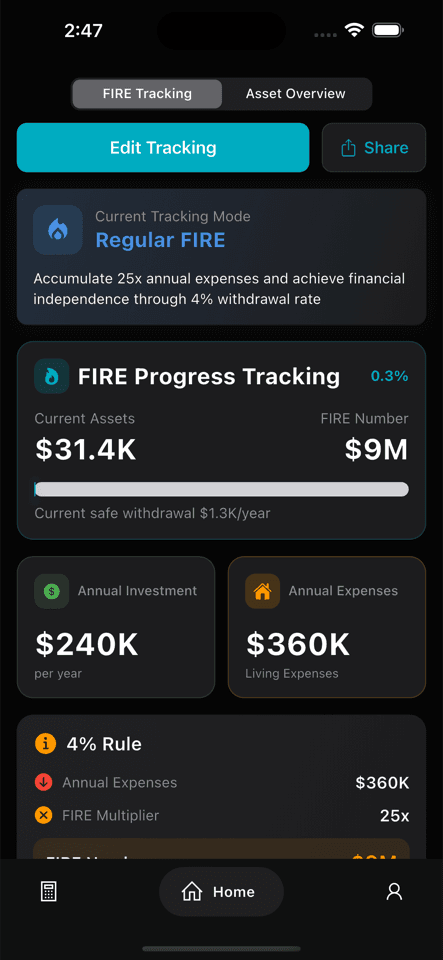
The home dashboard brings together current assets, FIRE target, and progress so your plan stays visible over time.
Move from one-time calculation to ongoing tracking.
Key point 4
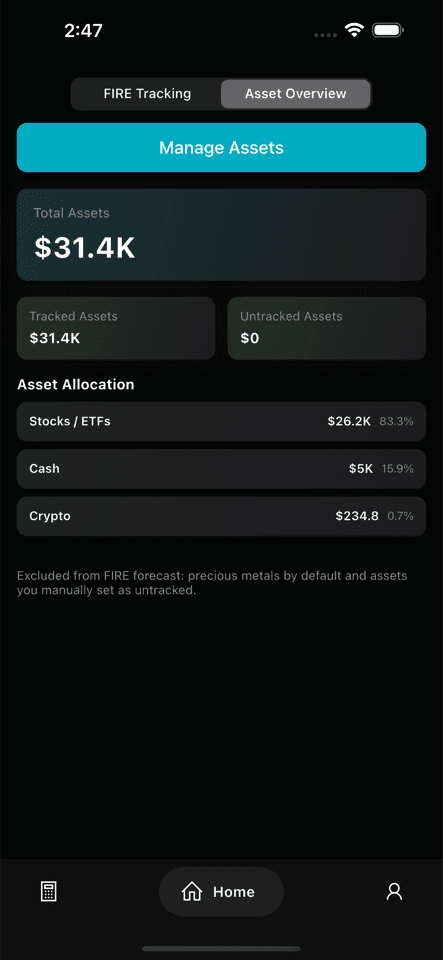
Organize tracked assets, allocation, and total holdings in one place with a unified display currency for a clearer asset picture.
Connect asset management directly to FIRE planning.
Key point 5
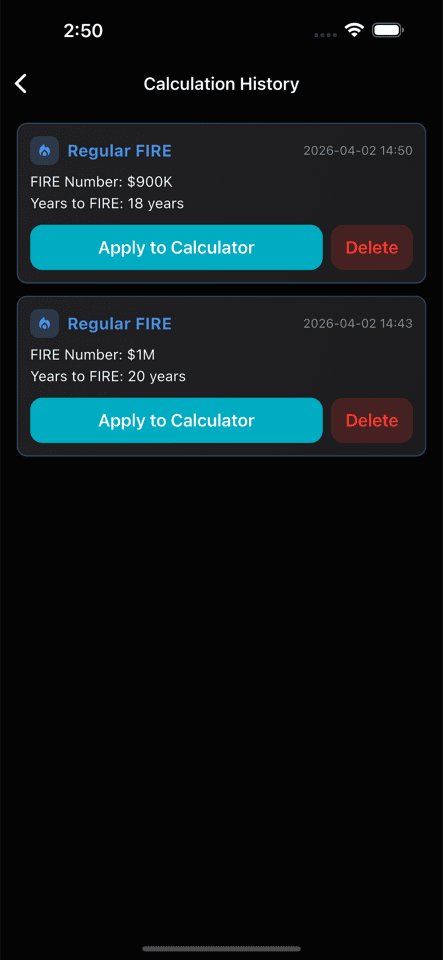
Keep each calculation you run so you can revisit assumptions, compare versions, and refine your plan instead of starting over.
Build a planning history, not just a single result.
Key point 6
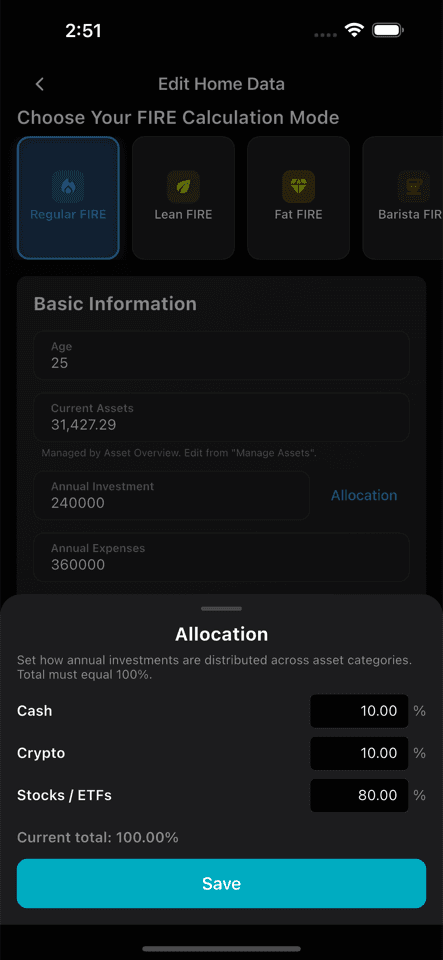
Allocation settings let you shape projections around how you actually deploy capital, not just around abstract average returns.
Make forecasts more realistic and actionable.
Key point 7
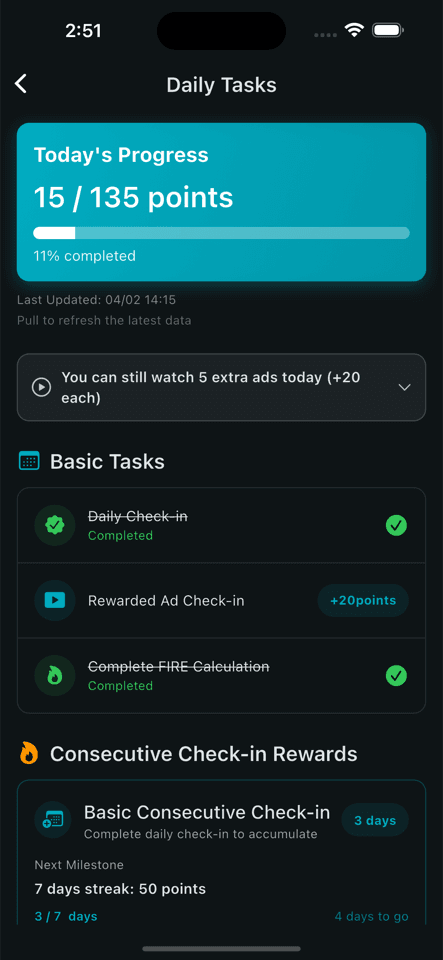
Daily tasks, streaks, and points give users a reason to return, update their plan, and stay engaged with long-term progress.
Support repeat usage instead of one-time app installs.
These are the use cases most likely to move from understanding the product to actually downloading and using the app.
Fire Path uses multiple modes, scenario comparison, and planning inputs to make the path clearer.
Asset management and dashboard tracking connect holdings directly to the financial independence goal.
Comparison mode and saved scenarios make the product useful for structured decision-making.
Daily tasks, streaks, and progress views make repeat use more natural than one-time downloads.
It combines six FIRE modes, comparison mode, asset management, a progress dashboard, scenario history, and habit-based tracking instead of returning only one static result.
Yes. v1.3.0 added asset management and a multi-currency overview so holdings and FIRE planning can live in the same product.
Yes. Comparison mode and multiple FIRE paths are some of the strongest reasons to use Fire Path instead of a simpler calculator.
Yes. Core planning can be used without login. Login is mainly for cloud sync and cross-device backup.
If you already know which assumptions, assets, and trade-offs you want to manage, the next step is not another article. It is opening the app and building your own version.